Skip to content
111bwt Casino / Live
LIVE LOBBY

111bwt — Your Lobby for Live Casino, Slots and Cricket Betting

Live dealer tables, slot rooms and cricket sportsbook markets sit in one lobby, funded through bKash, Nagad or Bank Transfer. Access is subject to your local law and eligible regions — open an account to see what's available to you.

bKash Nagad Rocket
Browse games
CONTENT / 01

Games Worth Opening First in the 111bwt Lobby

A few titles in the 111bwt lobby are worth knowing by name before you browse. Teen Patti Flash is in the table games section — it runs faster than a standard Teen Patti round and suits shorter sessions.

  • Teen Patti Flash

    Teen Patti Flash is a faster-format card game in the table games section of the lobby. Rounds move quickly compared to a standard table, which suits players who want a card game between other sessions.

  • Crash Rush

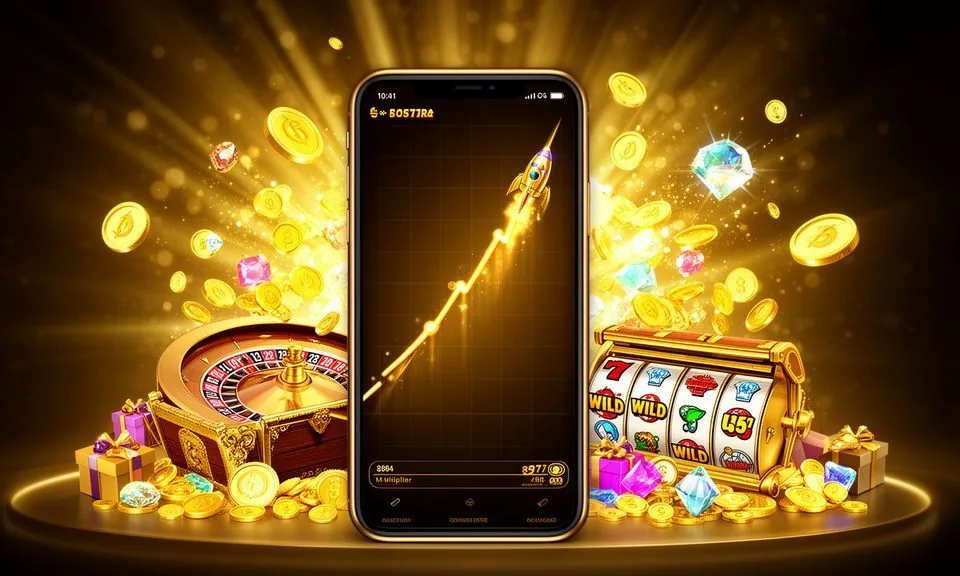
    Crash Rush is in the instant games section. The round starts, a multiplier climbs on screen, and you decide when to exit before the round ends. The result is visible in real time.

  • Live Cricket Pitch

    Live Cricket Pitch is a cricket-themed live game in the casino section — distinct from the cricket sportsbook markets. It runs on a live stream with a dealer and cricket-format game mechanics. Open it from the live casino section of the lobby.

ACCOUNT TRUST SIGNALS

What Keeps Your Account Solid at 111bwt

Every session at 111bwt starts with a clean payment record. We built the account layer around local payment rails — bKash, Nagad and Bank Transfer — so your deposit history is traceable and your wallet balance reflects settled transactions, not pending estimates. When you review your account settings, you will find controls that let you adjust how your session activity is recorded and how your wallet behaves between visits. These tools sit inside the account dashboard and apply immediately once saved — no waiting period before the change takes effect. Keeping your contact details current in the profile section also ensures that any account notice reaches you through the correct channel, whether that is a registered phone number or an email address linked at signup.

  • Traceable Payments

    Your bKash, Nagad and Bank Transfer transactions are logged against your account wallet. Every deposit and withdrawal appears in your transaction history so you can check the record at any time without contacting support. The balance shown is settled, not an estimate pending confirmation from a payment processor.

  • Verified Game Studios

    Slot titles and live dealer tables in the lobby come from PlayStar, Joker, Pragmatic Play, Bigtime Gaming and Spadegaming. You can confirm which studio supplies a title by checking the game detail screen inside the lobby.

  • Mobile-Ready Lobby

    The full lobby — live tables, slot rooms, sportsbook markets — loads in your mobile browser without a separate app download. Navigation is the same on a small screen as on desktop.

  • Published Support Route

    The support contact route is listed in your signed-in account area. If a transaction does not settle as expected or a game session ends with an unresolved balance, open the support page from your account menu and follow the steps shown there.

TRUST / 03

Where to Go When You Need Account Help

Account questions at 111bwt have a clear path. The signed-in account area is the starting point for payment queries, wallet checks and session history. If a payment query cannot be resolved through the wallet screen alone, the live chat channel connects you directly to a support agent who can view transaction references on their end. When contacting support, having your transaction reference number ready will help the agent locate the record faster. For issues that require a written trail, the email support route allows you to attach screenshots of your wallet screen, which speeds up the review process on the support team's side. Response times can vary depending on query volume, so checking the account notification area first often surfaces a status update before an agent reply arrives.

  • Payment Queries

    Start with your transaction history in the account wallet section. Each bKash, Nagad or Bank Transfer entry shows the reference, amount and status.

  • Game and Session Help

    Live table and slot session results are recorded in your account history. If a round ended unexpectedly or a balance looks incorrect, check the session log in your account before contacting support. The log shows the game name, studio, stake and outcome.

  • Account Access Help

    If you cannot log in or your account is locked, use the account recovery option on the login screen. Follow the steps shown there — they will ask you to verify the contact detail registered to your account.

Learn more →
111BWT
Mobile casino lobby
Popular Live Slots
Live Cricket Pitch Roulette Quickspin Holdem AceHigh
MOBILE LOBBY

Built for phones, clear on desktop

Cards, tables, FAQ and policy pages stay easy to read on smaller screens.

  • Quick categories
  • Mobile first
  • Access
App
CONTENT / 03

The Full Lobby in Your Mobile Browser

111bwt runs in your mobile browser without an app install. Open the site address in Chrome or any standard Android or iOS browser and the lobby loads with the same game catalogue you see on desktop — The full game catalogue — live dealer tables, slot rooms, sportsbook — loads in your mobile browser. Studio availability is shown on each game card inside the lobby. The mobile browser version adjusts layout automatically depending on your screen size, so both smaller and larger Android and iOS displays present the lobby in a readable format without manual zooming.

  • No Download Needed

    The lobby works in your existing mobile browser. There is no APK to sideload and no app store approval to wait for. Open the site, log in, and the full game catalogue is available.

  • bKash and Nagad on Mobile

    Depositing via bKash or Nagad from a mobile device follows the same steps as the desktop flow, but the payment app handoff is smoother on mobile because the wallet app is already installed on the same device.

  • Cricket Sportsbook on the Go

    The sportsbook section, where cricket markets including BPL and international fixtures are listed, is fully accessible from the mobile lobby.

ACCOUNT SETUP STEPS

From Registration to Your First Lobby Session

Getting from the 111bwt home page to an active lobby session takes a small number of steps, and each one is shown clearly on screen. Start at the account creation page — the form asks for your contact detail, a password and the basic verification information required to open a wallet. Once the wallet is open and a balance is available, navigating to any lobby section requires only a single tap or click from the main menu. The account area also displays a session history log, which records each login time and the sections visited during that session. If any step in the registration form returns a validation error, the field responsible is highlighted with a short description of what needs to be corrected, so you can resolve it without restarting the entire form.

  1. Create Your Account

    Open the account registration page from the 111bwt home screen. Fill in the required fields — contact detail, password and verification information. The form tells you exactly what is needed at each field. Submit and wait for the confirmation message before proceeding to the deposit step.

  2. Make a Deposit

    Go to the deposit section in your account menu. Select bKash, Nagad or Bank Transfer. The screen shows the minimum deposit amount and the exact steps to complete the transfer.

  3. Confirm Your Balance

    After completing the payment in your wallet app or bank, return to your 111bwt account and check the wallet balance. Once your bKash or Nagad payment is confirmed, return to your 111bwt account and check your wallet balance. Bank Transfer deposits settle within the window stated on the deposit screen.

  4. Open the Lobby

    With a confirmed balance, open the lobby from the main navigation. Use the category rail to move between live casino, slots and sportsbook. Your wallet balance is visible at the top of the lobby at all times.

MEMBER DESK / 06

Offers, support and account controls

01

Game lobby

02

Payment guide

03

Support

LOCAL PAYMENTS

bKash, Nagad and Bank Transfer at 111bwt

The three payment rails configured at 111bwt — bKash, Nagad and Bank Transfer — cover the most common ways Bangladesh account holders move money on mobile and through their bank.

  • bKash

    bKash deposits start from the deposit section in your account. Select bKash, enter the amount within the limits shown, and follow the handoff to your bKash app to confirm. The transaction reference appears in both your bKash history and your 111bwt transaction log.

  • Nagad

    Nagad works the same way as bKash in the deposit flow. Select Nagad from the deposit screen, confirm the amount, and the page hands off to your Nagad app for approval. Once Nagad confirms the transaction, your 111bwt wallet balance updates.

  • Bank Transfer

    Bank Transfer is available for account holders who prefer to move funds from a bank account rather than a mobile wallet.

Banking
GAME SPOTLIGHT

A Closer Look at What the Lobby Carries

The 111bwt lobby is split into three main areas: live casino, slots and sportsbook. Live casino tables run on streams from studios including Pragmatic Play and Joker — you join a table with a real dealer and the game result is determined by the physical action on screen, not a random number generator.

  • Live Casino Tables

    Live tables at 111bwt stream from Pragmatic Play and Joker studios. Roulette Quickspin is one of the titles available in the live section — the wheel spins in real time and the result is visible on screen before the round closes.

  • Slots from Five Studios

    Slot rooms carry titles from PlayStar, Joker, Pragmatic Play, Bigtime Gaming and Spadegaming. Each title has its own feature mechanics — some use expanding symbols, others use multi-way pays or bonus rounds triggered by scatter combinations.

  • Cricket and Sportsbook

    The sportsbook section lists cricket markets at the top of the category for Bangladesh account holders. BPL matches and international fixtures appear when markets are open. Select a match to see the available markets for that fixture.

DISCOVER / 01

Choose your game

Full lobby
GAME NETWORK
PlayStar
Joker
Pragmatic Play
Bigtime Gaming
Spadegaming
CONTENT / 04

111bwt lobby studios

The 111bwt lobby carries content from PlayStar, Joker, Pragmatic Play, Bigtime Gaming, Spadegaming. To check the studio, rules or features of one specific game, open that game card or the published information panel.

  • PlayStar

  • Joker

  • Pragmatic Play

  • Bigtime Gaming

  • Spadegaming

ACCOUNT DESK

Account information

Review current account information after signing in.

Login
PLAYER INDEX / 07

Terms You Will See in the 111bwt Lobby

The lobby and game screens use a small set of terms that are worth knowing before you start. RTP, volatility, live dealer, instant game and sportsbook market each mean something specific in the context of how games work at 111bwt. RTP stands for return to player and is expressed as a percentage that describes the theoretical share of total wagers a game returns over a large number of rounds — it is a long-run statistical measure, not a guarantee for any single session.

Player guide and glossary
  • What does RTP mean on a game detail screen?

    RTP stands for Return to Player. It is a percentage published by the game studio that describes the theoretical long-run return of a slot or table game over a very large number of rounds. It is not a prediction of what you will receive in a single session.

  • What is the difference between a live dealer game and a slot?

    A live dealer game runs on a video stream with a real person dealing cards or spinning a wheel in a physical studio. The result is determined by the physical action on screen. A slot is a digital game where the result is determined by a random number generator inside the game software.

  • What is a Megaways slot?

    Megaways is a reel mechanic used by some Bigtime Gaming titles where the number of symbols on each reel changes with every spin, creating a variable number of ways to win per round. The game detail screen for a Bigtime Gaming title confirms whether it uses the Megaways format.

  • What does volatility mean for a slot game?

    Volatility describes how a slot distributes its results over time. A high-volatility slot tends to pay out less frequently but in larger amounts when it does. A low-volatility slot pays out more often but in smaller amounts.

  • What is an instant game?

    An instant game is a short-format game where each round completes in seconds rather than the longer session structure of a live table. Crash Rush is an example in the 111bwt lobby — the round starts, a value climbs on screen, and the round ends quickly.

  • What is a sportsbook market?

    A sportsbook market is a specific betting option within a sporting event — for example, the result of a cricket match or the performance of a team in a BPL fixture. The sportsbook section of the 111bwt lobby lists available markets for upcoming events. The markets shown depend on your region and local law.

  • What does session history mean in my account?

    Session history is the record of your game activity stored in your account. It shows each game or market you participated in, the stake, the outcome and the effect on your wallet balance. You can open session history from the account menu at any time.

Full glossary
LOBBY / 02

One mobile lobby, distinct game areas

Live Cricket Pitch Sports Live Cricket Pitch Access → Roulette Quickspin Live Roulette Quickspin Access → Holdem AceHigh Slots Holdem AceHigh Access → Football StrikeZone Sports Football StrikeZone Access → Crash Rush Slots Crash Rush Access → Teen Patti Flash Slots Teen Patti Flash Access →
EXPLORE FURTHER / 04

Explore detailed guides

Local lobby check

QUICK ANSWERS

Frequently asked questions

These are the questions account holders ask most often about deposits, withdrawals, account access and how the lobby works. Each answer points to the specific place in your account where you can take action, rather than giving a general description.

Read FAQ →
How do I deposit using bKash at 111bwt?

Log in to your 111bwt account and open the deposit section from the account menu. Select bKash, enter the amount within the limits shown on screen, and follow the steps to hand off to your bKash app. Confirm the payment in bKash and return to the 111bwt browser tab.

Can I use Nagad to withdraw from my account?

Yes. Open the withdrawal section from your account menu and select Nagad as the withdrawal method. Enter the amount and the Nagad number registered to your account.

What should I do if my Bank Transfer deposit has not appeared in my wallet?

Bank Transfer deposits settle within the window stated on the deposit screen at the time you initiated the transfer. Check that window first.

How do I access the 111bwt lobby on my mobile phone?

Open the 111bwt site address in your mobile browser — Chrome or any standard browser on Android or iOS works. Log in with your account credentials. The lobby loads with the full game catalogue including live casino, slots and sportsbook. No app download is required.

Where do I find the support contact route?

The support contact route is listed in your signed-in account area. Log in and open the account menu — the support option is listed there. If you have a payment query, have your transaction reference ready before you contact support.

Is the 111bwt lobby available in Bangladesh?

Access to the 111bwt lobby depends on your local law and eligible region. We do not make legal certainty claims about availability in any specific location. Open the site and check the account registration page — the eligibility information shown there reflects the current access conditions for your region.

How do I check which studio made a game in the lobby?

Open the game detail screen for any title in the lobby — it shows the studio name alongside the game mechanics and, where the studio has published it, the RTP figure. The five studios supplying game content to the 111bwt lobby are PlayStar, Joker, Pragmatic Play, Bigtime Gaming and Spadegaming.

What happens if I forget my account password?

Use the account recovery option on the login screen. It will ask you to verify the contact detail registered to your account and guide you through the steps to reset your password. Do not share your password with anyone, including support staff — the recovery process does not require your current password.

READY WHEN YOU ARE

111bwt game lobby

Access may be available only where local law permits.

Register Login